

Technical SEO Audit: A Step-by-Step Guide for 2026
A technical SEO audit is a structured review of the things that decide whether search engines can find, crawl, render and index your pages: robots rules, sitemaps, redirects, site structure, speed, mobile experience, structured data and security. The goal is a short, ranked list of fixes tied to business impact, not a 400-line error export. This guide gives you the process, the checklist and the order of priorities.
TL;DR
- A technical audit covers crawlability, indexability, site architecture, speed, mobile usability, duplicate URLs and security. Content and links are separate reviews.
- Run one after a launch, redesign or migration, after an unexplained traffic drop, and on a regular schedule that fits how often your site changes.
- Crawl first, then compare the crawl with your sitemap and Search Console. The gaps between those three sources are where most findings hide.
- Fix indexing blockers before speed and polish, and rank everything by the value of the pages affected.
- Save a baseline crawl before changes and re-crawl afterward to prove each fix worked.
Indice
- What a technical SEO audit covers
- When to run an audit
- Step 1: Define scope and collect access
- Step 2: Crawl the site
- Step 3: Check crawlability and indexation
- Step 4: Review site architecture and internal links
- Step 5: Check duplicates and canonical tags
- Step 6: Test speed, mobile usability, structured data and security
- Step 7: Prioritize what you found
- Step 8: Implement fixes and verify them
- A website SEO audit checklist you can copy
- Our perspective
- Get a technical audit built around your business goals
- FAQ
- Fonti
What a technical SEO audit covers
A technical audit looks at the technical elements that can affect search visibility: crawlability, indexability, site structure, speed and security. It is different from a content review. Technical issues such as crawl errors, indexing and hosting sit apart from content issues such as keyword research and metadata, and from link analysis. Keeping the two apart matters in practice: a page with excellent copy still earns nothing if it carries a noindex tag by mistake.
Think of the audit as answering four questions in order:
- Can search engines reach the page?
- Are they allowed and able to index it?
- Do they understand which version of it matters?
- Does it load and work well enough that visitors stay?
Every check in the sections below belongs to one of those four questions. That framing also helps you explain findings to a non-technical owner.
When to run an audit
There is no single correct interval. Common triggers are consistent across the guidance we reviewed:
- A new, rebuilt or restructured site. An audit is recommended when a website is newly built, redesigned or its structure has changed.
- A migration. Moving domains, platforms or URL patterns is the moment redirects and canonicals break.
- Stagnant or falling rankings. Stalled or declining rankings are a reason to audit, as is a significant unexplained drop in traffic.
- A routine schedule. One common rule is an audit about every six months. Another source suggests at least quarterly, and more often for large or frequently updated sites.
A practical way to choose: a 30-page brochure site that changes twice a year can sit at the longer end. An online store adding products weekly, or a publisher with daily posts, belongs at the shorter end. Frequency should reflect size, technical infrastructure and market landscape, and your priorities should follow your goals.
Step 1: Define scope and collect access
Before crawling anything, decide what you are auditing: the whole domain, one subdomain, one country folder, or a single template type. Then gather what you will need. A thorough audit typically needs Search Console, server logs, CMS, DNS, CDN or firewall, and staging or login access.
A short pre-flight list:
- Search Console and analytics access for the site
- A list of the 10 to 20 pages that matter most commercially (services, top products, lead pages)
- Any recent change history: redesigns, plugin installs, CMS upgrades, redirects
- Contact for whoever can edit robots.txt, the CMS and the server
The commercial page list is the most underrated item. It is what lets you prioritize later.
Step 2: Crawl the site
Use a site crawler (a desktop crawler or a cloud audit platform both work) to fetch your URLs the way a search engine would. Configure it deliberately: user agent, JavaScript rendering, robots rules, login handling, sitemap, URL parameters and crawl limits all change what the crawl returns.
One choice deserves attention. A standard website crawl follows links from the homepage, while a sitemap-based crawl can prioritize the URLs listed in the sitemap. Run both if you can. Pages that appear in the sitemap but not in the link crawl are likely orphans, meaning nothing on your site links to them.
Save this first crawl as your baseline. You will need it in Step 8.
Step 3: Check crawlability and indexation
This is the section of the audit where a single line of code can erase a whole site from search, so go slowly.
Robots.txt, noindex and the difference between them
Crawling and indexing are two separate questions. A robots.txt file tells crawlers which URLs they can access, mainly to avoid overloading your site, and is not a way to keep a page out of Google. Google’s documentation says to use noindex or password protection to keep a page out of results. A blocked URL can still show up in results, just without a description.
In the audit, that means checking both layers:
- Is any important page disallowed in robots.txt?
- Does any important page carry a noindex directive, in the HTML or the HTTP header?
- Does a page you want removed from results rely only on robots.txt? If so, it needs a different fix.
Also confirm that a blocked page is not one you need Google to read for a noindex tag to work. A crawler that cannot fetch the page cannot see the tag.
Sitemaps, status codes and redirects
Your XML sitemap should list the canonical, indexable, 200-status URLs you want found, and nothing else. During the audit, review:
- URLs in the sitemap that redirect, return errors or are noindexed
- Indexable pages missing from the sitemap
- 4xx errors on pages that still receive internal links
- 5xx server errors, which deserve immediate attention
- Redirect chains and loops, and temporary redirects used where permanent ones belong
- Crawl traps, such as endless calendar pages or filter combinations that generate unlimited URLs
The comparison is the valuable part: sitemap URLs against crawl results, with internal links pointing to every important page.
JavaScript rendering
If your site builds content in the browser, compare the raw HTML with the rendered page. If key text, links or product data only appear after scripts run, confirm that they appear in the rendered version the crawler sees. Rendering problems are common on custom web apps and heavily scripted themes.
Coverage in Search Console
Open the page indexing report and look at why URLs are excluded. Some exclusions are healthy (duplicates, redirected URLs). Others point to blocked or low-quality pages. Match the exclusion reasons to your list of commercially important pages.
Step 4: Review site architecture and internal links
Search engines discover and weigh pages through links. If a service page sits six clicks from the homepage, or has one weak internal link, it is hard to find and easy to ignore. In the audit, check:
- Click depth of your priority pages from the homepage
- Orphan URLs found in the sitemap comparison
- Navigation and breadcrumb consistency
- Anchor text that tells readers and crawlers what the destination is
- URL structure that follows a clear logic rather than a pile of parameters
We cover this in detail in our guide to keeping key pages within one to three clicks of home. For multi-country sites, add hreflang and language folder checks, which our guides on international SEO and multilingual SEO explain.

Step 5: Check duplicates and canonical tags
Duplicate and near-duplicate URLs split signals and waste crawl effort. They come from tracking parameters, HTTP and HTTPS versions, www and non-www, trailing slashes, product variants and printer-friendly pages.
Google explains that when a site has duplicate content, it chooses a canonical URL, and you can guide that choice. In the audit, verify:
- Every indexable page has a self-referencing canonical, or a deliberate one pointing to the preferred version
- Canonicals point to live, indexable, 200-status pages
- Canonical, sitemap, internal links and redirects all agree on the same URL
- One version of the domain (protocol and host) resolves, and the others redirect to it
Conflicting signals are the real problem. A page whose canonical points to a URL that is noindexed or redirected is sending search engines two opposite messages.
Step 6: Test speed, mobile usability, structured data and security
Speed and Core Web Vitals
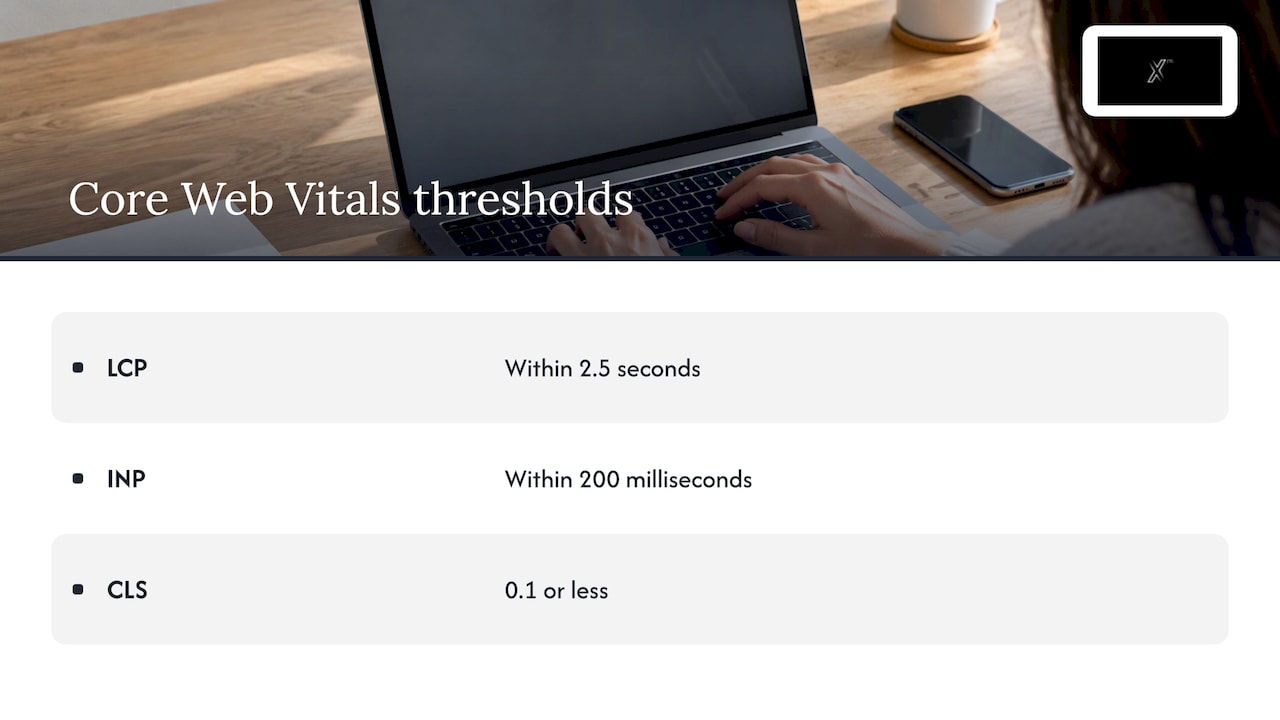
Google’s Core Web Vitals measure loading, responsiveness and visual stability. The published “good” thresholds are LCP within 2.5 seconds, INP within 200 milliseconds and CLS of 0.1 or less, measured at the 75th percentile of page loads. Use field data (real visitors) from Search Console as the main reference, and lab tools to diagnose causes. Check the slowest templates first, since fixing one template can improve hundreds of URLs. Our guide on Core Web Vitals and how to improve them walks through the common fixes.
Mobile usability
Load your key templates on a real phone. Look for text that is too small, tap targets too close together, content wider than the screen, and pop-ups that cover the page. Confirm the mobile version carries the same content, links and structured data as the desktop one.
Structured data
Validate markup on the templates where it applies: organization, product, article, FAQ, local business, breadcrumbs. Check for syntax errors and for markup that describes content not visible on the page. Fix errors on your highest-value templates first.
Security
Confirm that the whole site runs on HTTPS, that certificates are valid and renew automatically, that no insecure resources load on secure pages, and that old HTTP URLs redirect properly. Check that no hacked or spammy pages have appeared in the index.
Step 7: Prioritize what you found
A raw audit often returns hundreds of issues. Most are minor. The skill is sorting them.
A sound order is to start with indexing blockers such as noindex tags, robots blocks, sitemap omissions and canonical conflicts, then weigh high-value pages, scope and evidence of traffic or ranking harm, and only then address rendering and user-experience issues. Another checklist puts server errors, important pages blocked by robots.txt, important pages marked noindex and broken canonical tags at the top.
A simple scoring table keeps the conversation honest:
| Priority | Type of issue | Example | Action window |
|---|---|---|---|
| 1 | Indexing blockers | Noindex on a service page, robots block on a category | Immediately |
| 2 | Server and redirect faults | 5xx errors, redirect loops, broken canonicals | This sprint |
| 3 | Architecture gaps | Orphan pages, deep money pages | Next 30 days |
| 4 | Rendering and speed | Slow templates, script-dependent content | Planned release |
| 5 | Refinements | Missing alt text, minor markup warnings | Backlog |
For each finding, record the issue, the pages affected, why it matters, the fix and the owner. Good deliverables describe each issue with an actionable solution, with a table of actions and a spreadsheet of affected pages. A decision-maker should be able to read the first page and know what to approve.
Step 8: Implement fixes and verify them
Group fixes into releases by who must do the work: content editors, developers, server administrators. Test changes on staging when possible, and ship the highest-priority group first.
Verification closes the loop. Save a baseline crawl before changes and re-crawl afterward to confirm the issues are resolved. Then:
- Resubmit corrected sitemaps in Search Console
- Inspect a sample of fixed URLs to confirm Google sees the new state
- Watch the indexing report and impressions over the following weeks
- Note the date of each release so later changes in traffic can be explained
Traffic effects take time, so judge by indexing status and crawl cleanliness first, then by rankings and clicks.
A website SEO audit checklist you can copy
Crawl and index
- robots.txt allows important sections
- No accidental noindex on priority pages
- XML sitemap lists only canonical, indexable 200 URLs
- No redirect chains, loops or soft 404s
- No crawl traps from filters or parameters
- Rendered HTML contains key content and links
Structure
- Priority pages are within three clicks of the homepage
- No orphan pages
- Consistent navigation, breadcrumbs and URL logic
Duplicates
- Self-referencing or deliberate canonicals
- One protocol and host version resolves
- Sitemap, canonicals and internal links agree
Experience and trust
- Core Web Vitals in the good range on key templates
- Mobile layout and content match desktop
- Structured data valid on eligible templates
- HTTPS everywhere with valid certificates
Process
- Baseline crawl saved
- Issues ranked by page value
- Fixes assigned, shipped and re-crawled
Our perspective
We treat a technical audit as a business decision, not a software report. A crawler will always find hundreds of warnings. What a business needs is a ranked plan that links each fix to a page that earns revenue, an owner and a date.
That is why we work from strategy, creative and execution as one connected system. Technical findings rarely stay technical: a slow template is also a design question, a thin service page is also a content question, and a deep page is also an information architecture question. When one team holds all of them, fixes ship together instead of waiting in separate queues.
Our approach combines market research and analytics with hands-on delivery, and we can act as an external marketing department when you do not have developers or SEO specialists in-house. We also train in-house teams so the audit habit stays with you after the project ends.
Xpert
Get a technical audit built around your business goals
If you would rather hand the audit to specialists, our team covers SEO, web development, analytics and content under one roof. That means the person who finds the problem can also coordinate the fix, whether it sits in the code, the copy or the site structure. You can see the full list of disciplines on our services page, or read how our digital marketing service works.

If your concern is wider than the website, our guide to a digital marketing audit shows how to evaluate performance across all channels. And as search expands into AI-generated answers, the same technical foundations matter: see how SEO and GEO fit together.
FAQ
How long does a technical SEO audit take?
It depends on site size and access. A small site can be crawled and reviewed in a few days, while a large store or multi-language site takes longer because of the volume of templates, URLs and stakeholders. Most of the time goes into analysis and prioritization rather than the crawl itself.
What is the difference between a technical SEO audit and a full SEO audit?
A technical audit covers how search engines access, render and index your site. A full SEO audit adds content quality, keyword targeting, metadata and backlinks. Many teams start with the technical review because content cannot perform on pages search engines cannot index.
Can I do a technical SEO audit myself?
Yes, for a small site. Search Console, a site crawler and the checklist above cover the basics. Larger or script-heavy sites, migrations and sites with unexplained drops usually benefit from an experienced specialist who can read server logs and rendering behavior.
Which technical SEO issues should I fix first?
Start with anything that stops important pages from being indexed: noindex tags, robots.txt blocks, server errors, broken canonicals and sitemap omissions. After those, address site structure, then rendering and speed. Rank everything by the commercial value of the pages affected.
Fonti
- Technical SEO Audit: A Checklist for Ecommerce Sites
- How to Perform an In-Depth Technical SEO Audit
- How to Conduct a Technical SEO Audit (PDF guide)
- How to Complete a Technical SEO Audit in 8 Steps
- Technical SEO Audit: 9 Steps Checklist
- How to Run a Technical SEO Audit (Tools and Checklist)
- Configuring Site Audit
- Robots.txt Introduction and Guide
- Consolidate duplicate URLs
- Web Vitals
- How to prioritize technical SEO fixes by business impact
- How to Perform a Technical SEO Audit: Step-by-Step Guide
- How to Conduct a Technical SEO Site Audit
- SEO Audit Checklist: Step-by-Step Process


