
CRM Data Migration: A Practical Plan From Audit to Hypercare
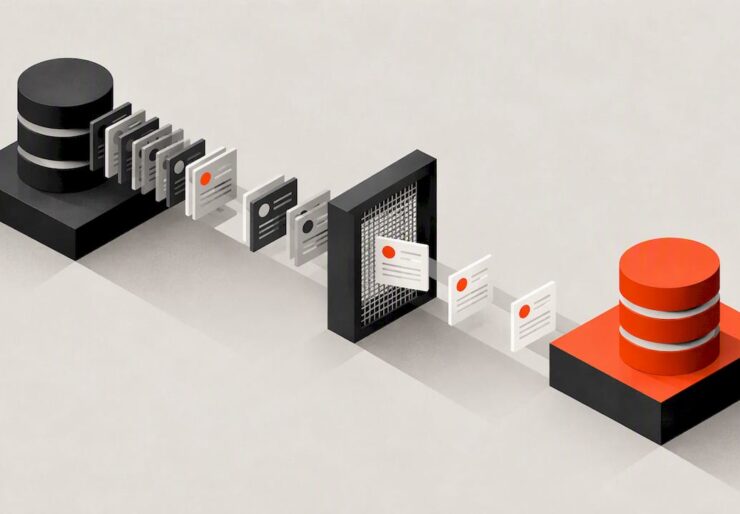
A CRM data migration succeeds or fails on preparation, not on the import button. The reliable path has eight phases: assess, cleanse, map, test, migrate, validate, cut over and support the team afterward. Most of the effort belongs in the first four and in validation. If you treat the move as a business change with named owners, a cleaned dataset and a rollback plan, the technical transfer becomes the easy part.
This guide walks through that process in order. It covers what to clean, how to map fields, how to test, when to roll back and how to keep the new system from decaying. It is written for business owners and marketing or sales leaders who are about to switch platforms, or who suspect their current data is too messy to move as is.
TL;DR
- Follow eight phases: assess, cleanse, map, test, migrate, validate, cut over and hypercare. Validation is the phase teams most often underfund.
- Clean and deduplicate before the import, never during it. Repairing records after they land is slower and costs more.
- Name who approves go/no-go before you start, and define rollback triggers in writing while things are calm.
- Schedule user training before go-live. Clean data in a system nobody uses still fails.
Indice
- What a CRM data migration actually moves
- Treat it as a business change, not an IT task
- Phase 1: Assess what you have
- Phase 2: Cleanse before you move anything
- Phase 3: Map fields and relationships
- Phase 4: Test with a pilot load
- Phase 5: Plan your cutover and your rollback
- Phase 6: Validate like you mean it
- Phase 7: Hypercare and adoption
- Privacy and compliance checks
- Our perspective
- A single checklist to print
- When to bring in a specialist
- FAQ
- Fonti
What a CRM data migration actually moves
CRM data migration is the process of moving data, workflows and assets from one CRM to another. People tend to picture contacts and companies only. A real inventory is wider:
- Contacts, companies or accounts, and the relationships between them
- Deals or opportunities, pipeline stages and their history
- Activities: calls, emails, meetings, notes and tasks
- Attachments and documents
- Custom fields, picklist values and lead sources
- Users, teams, permissions and ownership
- Automations, sequences, email templates and reports
The records are usually the simplest part. Ownership rules, lead-source history and automations are where projects stall, because they encode how your business actually sells. List them early, and decide for each item whether it moves, gets rebuilt or gets retired.
Treat it as a business change, not an IT task
Experts stress that a migration is a business change event. If the new system does not fit how your team works, adoption fails however clean the data is. Training has to happen before go-live, not after complaints begin.
That shapes how you staff the project. You need at least four roles:
- Executive sponsor: protects time and settles disputes.
- Data owner: usually sales or revenue operations, accountable for what “correct” means.
- Technical lead: handles extraction, transformation and loading, in-house or through a specialist.
- Team representatives: a few daily users who test and then teach their colleagues.
Settle who says “go”
Advisors often point to one common failure: nobody is clear on who approves go/no-go decisions. A simple RACI matrix (Responsible, Accountable, Consulted, Informed) drawn up at the start fixes it. Name one person accountable for validating data accuracy and one for approving the cutover. If two people think they own the decision, nobody does on the night.
Phase 1: Assess what you have
Start with an audit of the source system. Count records by object, note the last-modified dates, and identify fields that are empty, overloaded or used for something other than their label. Interview the people who use the CRM. They know about the “Notes” field that secretly holds renewal dates.
Then decide scope. Do you need ten years of closed-lost deals? Probably not as live records. Archive them in a warehouse or export file and migrate only what supports current work and reporting. A smaller dataset is cheaper to clean, faster to load and easier to validate.
Budget real planning time. Teams that invest two to three weeks in initial planning often save months of cleanup on the back end. Small setups can move faster: a manufacturer in one case study moved from Excel to a dedicated CRM in roughly 30 days, with 100 to 500 opportunities at stake. Your timeline depends on volume, custom objects and how much you rebuild.
Phase 2: Cleanse before you move anything
CRM data cleansing is the step most people want to postpone, and the one that decides the quality of everything after. One 2026 checklist argues that deduplicating before import, never during it, is the rule that prevents the most pain. The same source reports that pre-migration cleansing is far cheaper than fixing records after they land. Treat that as a practitioner’s estimate rather than a measured law, but the direction matches what most teams experience.
A cleansing routine that works
- Deduplicate. Match on email, domain, phone and normalized company name. Exact matching misses variants such as “Acme Inc.” and “ACME, Incorporated”, so review fuzzy matches by hand.
- Standardize formats. Phone numbers, country and state values, job titles, date formats and currency codes. Decide on one convention and apply it everywhere.
- Fill or flag gaps. Records missing an email, owner or lead source should be repaired, flagged or left behind.
- Remove the dead weight. Bounced addresses, long-inactive contacts with no history and test records do not deserve a place in the new system.
- Reconstruct lead sources. Un’ case study on Excel migration found that the bottleneck was rarely the import itself but rebuilding source tags for historical records. Skipping that leaves you with poor attribution data that is harder to fix later.
- Freeze the rules. Write down what counts as a duplicate and which record wins when two conflict, so the decisions are repeatable.
Cleaning is a habit, not a project
The migration is the culmination of a data hygiene strategy, according to industry practitioners. Teams that validate data at the point of entry avoid the recurring rescue missions that come from annual cleanups. Build required fields, picklists and duplicate warnings into the new CRM from the first day.
Phase 3: Map fields and relationships
Mapping is a spreadsheet that connects every source field to a destination field, with the transformation rule between them. For each row, record:
| Source field | Destination field | Transformation | Owner | Notes |
|---|---|---|---|---|
| Nome dell'azienda | Account Name | Trim spaces, standard casing | Sales ops | Dedupe key with domain |
| Lead Src (free text) | Lead Source (picklist) | Map 14 variants to 6 values | Marketing | Needs sign-off |
| Deal Stage | Pipeline Stage | Translate old stages | Sales lead | Closed-lost reasons kept |
| Notes | Activity (note) | Attach to parent record | Technical lead | Check size limits |
Pay attention to load order. Parent records have to exist before the children that reference them, so a typical sequence is users, then accounts, then contacts, then deals, then activities and attachments. Loading in hierarchical dependency order keeps relationships intact. Keep the old system’s record IDs in a custom field on each new record. They are your audit trail and make every later reconciliation possible.
Check platform limits too. Import tools differ in file size, API rate limits and required fields, and your vendor’s documentation is the authority on those numbers for your plan.
Phase 4: Test with a pilot load
Never make your first load the real one. Move a representative sample, including the ugliest records you have, into a sandbox or test environment. Check:
- Do relationships survive? Does each contact sit under the right account, and each deal under the right owner?
- Do dates, currencies and time zones come through correctly?
- Do special characters, long notes and attachments load without truncation?
- Do automations fire as expected, or do they email 4,000 customers by accident? Disable outbound automations during test loads.
Repeat until the error rate is boring. Each cycle should end with a short written log of what broke and what changed in the mapping.
Phase 5: Plan your cutover and your rollback
There are two broad strategies. A big bang moves everything over a short window, often a weekend, and suits smaller datasets and simpler teams. A phased migration moves by team, region or object type and suits complex organizations that can tolerate two systems for a while. Phased reduces risk but needs a clear rule about which system is authoritative for which data at any moment.
Define rollback triggers in advance
A rollback plan is more than a backup. It needs trigger conditions, such as a record-count discrepancy above 5% or the failure of a critical workflow, plus a time window, typically 24 to 72 hours after go-live, beyond which a clean reversal becomes impractical because new data keeps accumulating. Agree on these numbers before the migration begins, not in the middle of a crisis. Write them into the cutover runbook next to the name of the person who can call it.
Freeze, load, verify
On cutover day the sequence is simple: announce the freeze, take final exports of the source, run the final delta load, validate, and only then switch users over. Keep the old system read-only for a defined period so people can look things up.

Phase 6: Validate like you mean it
Validation is the most underinvested phase. A thorough check combines four methods:
- Record counts by object, compared with the source and with the cleaned extract.
- Sampled spot checks: open 50 to 100 records chosen at random, plus your 20 most important accounts, and compare them field by field.
- Automated comparisons of totals, such as pipeline value by stage and contacts by owner.
- User acceptance testing by the people who will live in the system, using their real tasks.
Also run your top reports in both systems. If the pipeline number differs, find out why before anyone is asked to trust the new dashboard.
Phase 7: Hypercare and adoption
After cutover comes hypercare: a period of heightened support, commonly two to four weeks. Keep a visible channel for questions, triage bugs daily and fix mapping errors while the source is still available for comparison.
Adoption deserves the same rigor as the data. One implementation plan ties the RACI to a 90-day adoption schedule, which is a useful frame: set targets for logins, record completeness and pipeline hygiene, and review them weekly. Retire the old system on a date you announced in advance, so nobody keeps a shadow spreadsheet alive.
Privacy and compliance checks
If your records include people in the EU or UK, migration is a compliance event. Under GDPR, moving personal data can trigger a Data Protection Impact Assessment, and your plan must keep access and deletion requests workable during the transfer window. The same source treats migration as more than a security exercise. US-only datasets face different rules, which vary by state and industry, so ask your counsel which apply. Whatever the jurisdiction, minimize what you move, encrypt it in transit and keep an audit trail of who touched what.
Our perspective
We work with marketing, sales and web data every day, and the pattern is consistent: a CRM migration is a marketing problem as much as a technical one. The CRM feeds campaigns, attribution, lead scoring and reporting. When lead sources are wrong or consent flags are lost, the damage shows up months later as campaigns that cannot be measured.
That is why we push clients to connect the migration to their wider data picture. Which events feed the CRM? Which reports will leadership expect on day one? Does the website, the ad platforms and the CRM tell the same story? Our approach is to treat strategy, execution and measurement as one connected system, which is how we run engagements as an external marketing department. Our Data & Analytics service exists for exactly this reason.
Two habits save the most trouble. First, write down the reports and decisions the CRM must support before you map a single field. Second, schedule training before go-live. Both are cheaper than any rescue project.
— Xpert
A single checklist to print
Before
- Sponsor, data owner, technical lead and RACI named
- Scope agreed: what moves, what is archived, what is rebuilt
- Full backup and export of the source
- Field mapping signed off by sales and marketing
- Privacy review completed where personal data of EU or UK residents is involved
During
- Deduplication and standardization finished before import
- Pilot load tested and logged, outbound automations disabled
- Rollback triggers and time window written down
- Users trained before go-live
After
- Counts, spot checks, automated comparisons and UAT passed
- Key reports match between old and new systems
- Hypercare channel live for two to four weeks
- Old system set to read-only, then retired on an announced date
- Weekly hygiene routine scheduled
When to bring in a specialist
Small moves, such as a spreadsheet to a starter CRM, can be handled in-house with careful mapping and a pilot. Bring in outside help when you have several source systems, custom objects, regulated data, tight revenue timing, or a team that cannot spare the hours. A small agency case study showed how consolidating four CRMs into one changed reporting effort, though results depend heavily on each setup.
If the real issue is that marketing, sales and web data do not connect, a migration is a good moment to fix it. Xpert Marketing supports businesses across strategy, digital marketing, web and tech, and data and analytics, and can work alongside your CRM vendor or implementer. Our Web, Tecnologia & Innovazione team covers integrations with your site and forms. If you are weighing outside partners, our guide to questions to ask before hiring a marketing agency is a good start. To discuss your migration, contact Xpert Marketing.

FAQ
How long does a CRM data migration take?
It depends on volume, complexity and cleanup. A small Excel-to-CRM move with a few hundred opportunities took about 30 days in one case study, while multi-system moves with custom objects take considerably longer. Plan two to three weeks for preparation alone, then add testing and hypercare.
What is typically included in a CRM data migration?
Contacts, companies, deals, activities, notes, attachments, custom fields and user ownership are the core. Automations, email templates and reports often need to be rebuilt rather than copied. Decide for each item whether it moves, is rebuilt or is retired.
Should I clean my data before or after migrating?
Before. Deduplicating and standardizing in the source gives you a smaller, more reliable dataset, and checklists written for 2026 migrations say to dedupe before import rather than during it. Cleaning afterward means fixing records inside a live system that your team is already using.
What happens if the migration goes wrong?
That is what the rollback plan is for. Define trigger conditions, such as a record-count gap above 5%, and a window of roughly 24 to 72 hours in which a reversal is still practical. Keep the source system intact and read-only until validation is complete.
Fonti
- CRM data migration: A practical process overview, HubSpot
- Data Migration Strategy: Plan, Checklist, Risks, and Cutover, Attract Group
- Excel to CRM Migration Case Study, CardToDeal
- CRM Data Migration Checklist 2026, Digital Applied
- The CRM Data Cleaning & Hygiene Playbook, Databar
- GDPR-compliant data migration blueprint, ClonePartner
- Marketing agency CRM migration case study, Moore IQ
- CRM implementation plan, Plexo


